Pets
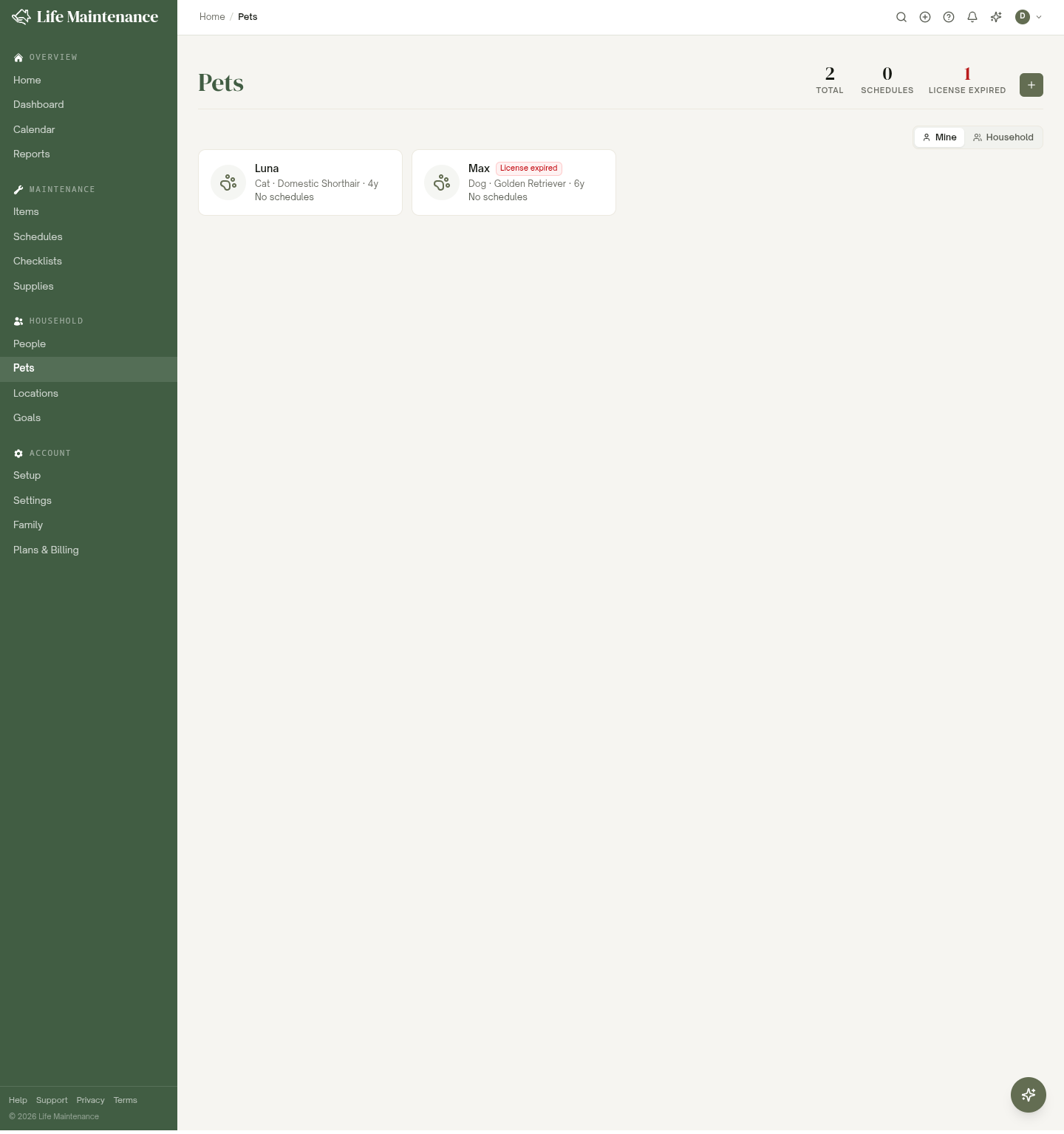
Pets are first-class citizens in Life Maintenance. Dogs, cats, birds, fish, reptiles, small mammals, exotics. Each species gets its own set of suggested schedules so you are not toggling off "litter box cleaning" for your goldfish.
Adding a pet
- Click the + in the top bar and pick Pet, or open the Pets page and click Add pet.
- Pick a species. Dog, cat, bird, fish, reptile, small mammal, horse, exotic.
- Give the pet a name. Optionally add breed, date of birth, microchip number, vet info, photo.
- Save.
The Review Schedules screen suggests species-appropriate maintenance. You can toggle anything off you do not want.
What we track for pets
The exact list depends on species, but generally:
- Vet visits. Annual physical, vaccinations, dental cleaning.
- Medications. Heartworm, flea and tick prevention, prescriptions with refill reminders.
- Grooming. Nail trims, baths, professional grooming, ear cleaning.
- Food and supplies. Reorder reminders for food, litter, treats, toys.
- Training. Class schedules and practice sessions.
- Boarding and travel. Booking reminders before vacations.
- Tag and license renewal. Annual rabies tag, municipal dog license.
Species-specific suggestions
We try not to over-suggest. Some examples of how the catalog differs:
- Dogs. Heartworm, flea, dental cleaning, nail trims, training.
- Cats. Annual exam, flea, dental, litter reorders, nail trims.
- Birds. Nail trims, beak filing, cage cleaning, wing trim if applicable.
- Fish. Tank water testing, partial water changes, filter swaps, food.
- Reptiles. UV bulb replacement, terrarium cleaning, diet rotation, vet check.
Your vet may have stronger preferences than ours. We treat our defaults as starting points, not gospel.
Medications
Each pet has a Medications field on its detail page where you can note what it is on, like heartworm, flea and tick, or a prescription. For anything you want a reminder about, add a schedule so the refill shows up alongside the pet's other tasks and its due date lands on your Home page.
Photo
Each pet has a photo on its detail page. Upload one so the pet is easy to spot in your lists and on shared household views.
Sharing pet care across the family
On the Family plan, pets are shared with the household by default, so everyone can see them and mark their tasks done.
The Pets page also has a Mine / Household toggle in its filter bar so owners and admins can switch between just my pets and every pet in the household. See Items for the full explanation.
When a pet is no longer with you
We know this is hard. You have two options:
- Mark the pet inactive with the Active toggle in its Details card. The record stays in your account and the pet leaves your active lists. Most people find this gentlest.
- Delete wipes the record completely. It is in the pet's More menu.
We will not push you. The choice is there when you are ready.
What to read next
- Schedules and reminders for how recurring tasks work.
- The Family plan for sharing pet duty across the household.
- Notifications to control reminder timing.